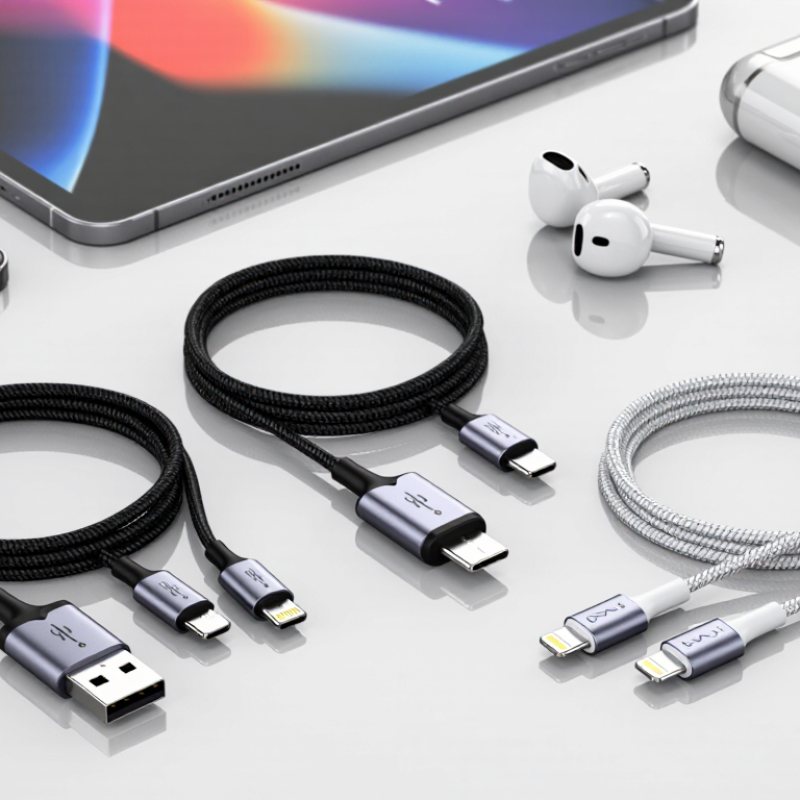
| Connector combination | USB-A to USB-C | USB-A plug at the host end and reversible USB-C plug at the device end. Commonly used with USB 2.0 data connections. | Charging performance depends on the power source, cable design, and device. The USB-C plug alone does not indicate USB Power Delivery support. | Check connector fit, wiring, rated current, and compatibility with the intended charger and device. |
| Connector combination | USB-C to USB-C | Reversible USB-C plugs at both ends. Cable capabilities can range from USB 2.0 data to higher-speed USB data, depending on construction and specification. | Confirm separately the supported data rate, charging current, and charging protocol. Not every USB-C cable supports every USB-C feature. | Check cable markings, product documentation, and applicable USB-IF certification records where relevant. |
| Connector combination | USB-A to Micro-USB or USB-A to USB-B | Legacy connector combinations still used with some accessories, peripherals, and older devices. | Specify the exact connector shape and orientation. These cable types do not provide USB-C Power Delivery through their legacy connectors. | Inspect connector dimensions, pin assignment, and compatibility with the target device. |
| USB data capability | USB 2.0 data cable | Supports data signaling up to 480 Mbit/s under the USB 2.0 specification; actual transfer rates depend on connected devices and conditions. | A cable may support charging without being designed for high-speed data. State charging and data capabilities separately. | Review the declared USB specification and test data transfer with compatible equipment. |
| USB data capability | SuperSpeed USB cable | Designed for USB data rates above USB 2.0, with capabilities dependent on the applicable USB generation and cable configuration. | Higher data rates require suitable cable construction and compatible host and device ports. Length and signal integrity can affect performance. | Confirm the exact supported USB data rate and use a suitable compliance or signal-integrity test process. |
| Charging capability | USB-C cable rated for up to 3 A | Many USB-C cables support up to 3 A when used with compatible equipment and within the applicable USB Type-C requirements. | Charging power is determined by the complete system, including the power source, cable, charging protocol, and receiving device. | Check the declared current rating and verify operation with the intended charger and device combination. |
| Charging capability | USB-C cable rated for up to 5 A | Higher-current USB-C operation requires a suitable electronically marked (e-marked) cable and compatible equipment. | Do not infer a 5 A rating from connector appearance. Confirm the cable’s electronic marking and stated power capability. | Verify e-marker information and applicable USB Power Delivery capability using appropriate test equipment. |
| Power delivery | USB Power Delivery (USB PD) capable cable | USB PD is a power negotiation protocol used with compatible USB-C sources, cables, and devices. Supported voltage and power depend on the specific combination. | A cable advertised as USB-C is not automatically a USB PD cable. Specify the supported current and power profile rather than relying on a generic label. | Test with compatible USB PD analyzers and confirm product documentation matches the actual cable configuration. |
| Conductor design | Copper power and data conductors | Insulated conductors carry power and, where included, data signals. Conductor size and layout affect resistance, flexibility, and electrical performance. | Request conductor material and construction details. Lower resistance can help reduce voltage drop, especially in longer or higher-current cables. | Review material declarations and measure electrical resistance and voltage drop against agreed requirements. |
| Shielding design | Shielded data cable | May use foil, braid, or a combination of shielding to help control electromagnetic interference in supported designs. | Shielding needs to be appropriate to the cable’s data capability and termination design. More shielding does not by itself prove compliance or performance. | Check construction drawings and test the completed cable for required electrical and data performance. |
| Outer jacket | PVC, TPE, or braided jacket | PVC and TPE are common jacket materials; braided constructions typically add an outer textile layer over an inner cable jacket. | Compare flexibility, surface feel, abrasion resistance, and environmental requirements. A braided exterior does not establish electrical capability. | Request material specifications and perform agreed abrasion, bend, and environmental tests. |
| Mechanical design | Reinforced strain relief | Molded or otherwise reinforced transitions at the plug ends can help reduce stress where the cable meets the connector. | Prioritize consistent molding, secure connector assembly, and a design suited to the expected bending and handling conditions. | Use repeatable bend, pull, and connector-retention tests with documented acceptance criteria. |
| Length and application | Short, standard, or extended cable | Common product lengths vary by application. Increasing cable length can increase electrical resistance and may affect high-speed signal performance. | Choose length based on the installation and required charging or data capability. Validate the longest intended configuration. | Test voltage drop, charging behavior, and data performance at the specified production length. |
| Supplier evaluation | Production and quality-control review | Relevant checks can include material control, connector inspection, electrical testing, traceability, and production consistency. | Provide a written specification covering connector type, length, current, data rate, materials, labeling, and packaging before sampling or production. | Review sample results, test reports, inspection criteria, and batch traceability. Verify any claimed certification independently. |